 Kuza Kizazi Kreative
The Complete Guide to Building a Business Website in Kenya
Kuza Kizazi Admin
18 min read
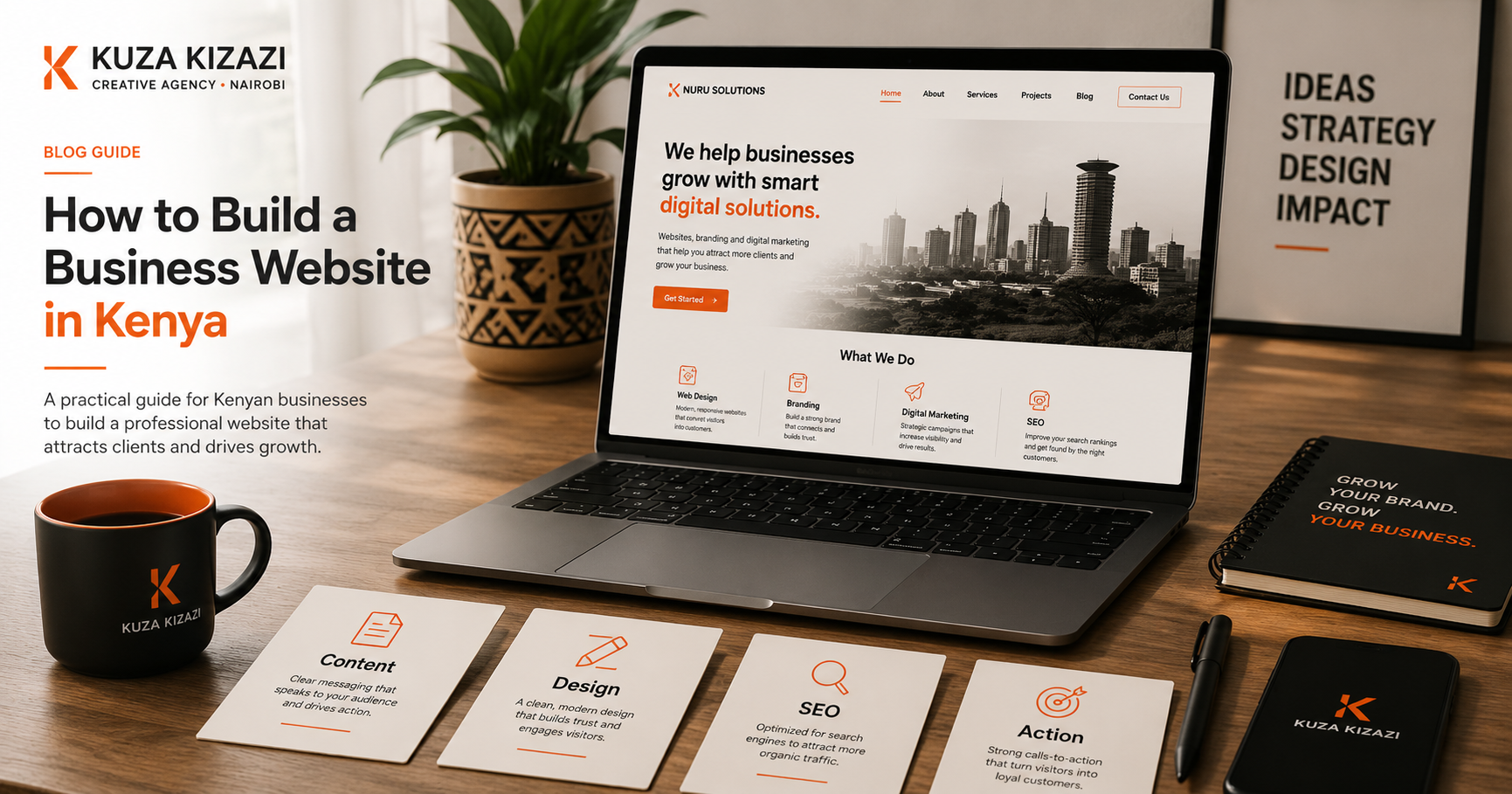
Learn how to build a business website in Kenya, including website pages, design, development, SEO, content, cost factors, planning steps, and launch checklist.
Many business owners in Kenya reach out for a website when they feel their business needs to “look more professional online.” That is a good instinct. A website can help people understand your business, trust you, and take the next step.
But many websites fail because they are treated as design projects only.
A good business website is not just a homepage with nice photos, a logo, and a contact form. It should explain what you do, who you help, why people should trust you, and what action they should take next.
For a growing business in Kenya, your website should support visibility, credibility, inquiries, sales, bookings, applications, or customer education. It should work alongside your brand identity, social media, Google Business Profile, WhatsApp, referrals, and offline marketing.
This guide will help you understand what goes into building a strong business website, what pages you need, what affects cost, what mistakes to avoid, and how to plan your website properly before hiring a designer or developer.
What Is a Business Website Supposed to Do?
A business website is your digital home.
Unlike social media, where your content competes with many other posts, your website gives you a controlled space to explain your business clearly.
A good website should help visitors answer five questions quickly:
Who are you?
What do you offer?
Who do you serve?
Why should someone trust you?
What should they do next?
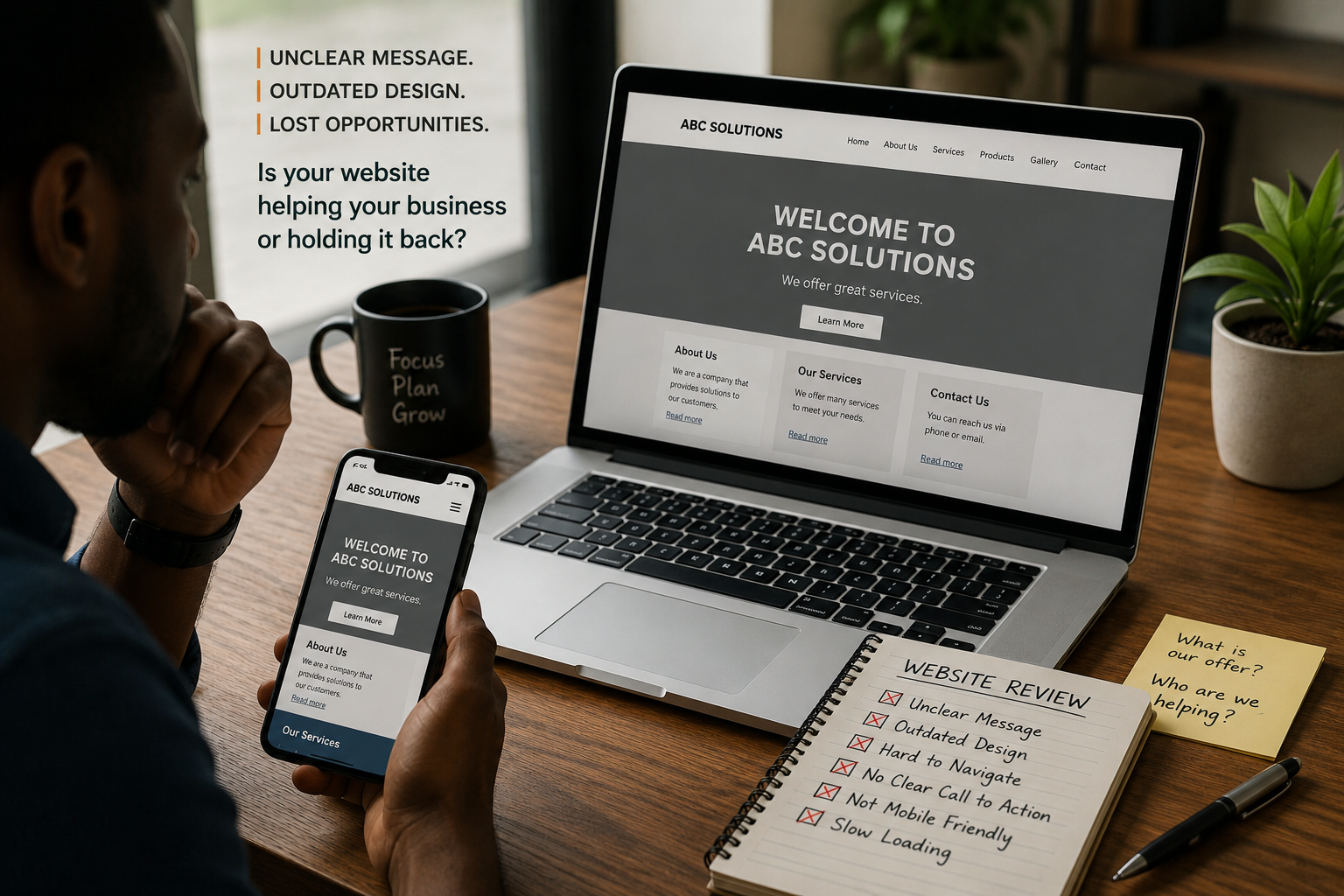
If your website looks good but does not answer these questions, it may not support your business well.
For example, a Nairobi-based consultancy may have a polished website, but if visitors cannot understand the services, pricing structure, process, or how to book a consultation, the website will lose opportunities.
A restaurant may have beautiful food photos, but if the menu, location, opening hours, delivery options, and WhatsApp order button are missing, customers may move on.
A school may have a homepage and a few images, but if parents cannot find curriculum details, admissions steps, fees guidance, transport information, or contact details, the website will not build enough confidence.
A website should not only exist. It should help people move from interest to action.
Why a Website Still Matters When You Have Social Media
Many Kenyan small businesses start with Instagram, Facebook, TikTok, LinkedIn, or WhatsApp. These platforms are useful, but they are not a full replacement for a website.
Social media helps people discover you. A website helps them understand you.
Social media is good for visibility, updates, conversation, and community. But a website is better for structured information, search visibility, credibility, service explanations, long-form content, and professional presentation.
A potential customer may first see your post on Instagram. Then they may search your business on Google. Then they may check your website before deciding whether to call, visit, request a quote, or send a WhatsApp message.
If your social media looks active but your website is missing, outdated, or unclear, trust can weaken.
A strong digital presence usually needs both: social media for ongoing visibility and a website for clarity, trust, and conversion.
The Main Types of Business Websites
Not every business needs the same kind of website. The right website depends on your stage, goals, budget, and audience.
1. Landing Page
A landing page is a single focused page designed around one offer or action.
It may include:
A clear headline
Short explanation of the offer
Benefits
Photos or visuals
Testimonials
Frequently asked questions
Contact form
WhatsApp button
Call to action
A landing page works well for new businesses, campaigns, events, product launches, course registrations, or service promotions.
It is useful when you need a simple online presence quickly, but it may not be enough for a business with multiple services, locations, audiences, or content needs.
2. Standard Business Website
A standard business website is often the best fit for small and medium businesses that want a credible online presence.
It usually includes:
Homepage
About page
Services page
Individual service pages
Portfolio or work samples
Testimonials or reviews
Blog or insights section
Contact page
This type of website helps customers understand your business in more detail. It is useful for agencies, consultants, schools, clinics, law firms, real estate firms, restaurants, NGOs, construction companies, logistics businesses, and professional service providers.
A standard business website is not just about looking legitimate. It gives your business a clear structure online.
3. Ecommerce Website
An ecommerce website allows people to browse products, add items to a cart, and place orders online.
It may include:
Product categories
Product pages
Cart and checkout
Payment integration
Delivery details
Inventory management
Customer emails
Order tracking
Return policy
Product search
An ecommerce website requires more planning than a basic website because customers need to trust the buying process.
For Kenyan businesses, you may also need to think carefully about M-Pesa payments, delivery areas, stock updates, customer support, and mobile experience.
4. Booking Website
A booking website helps customers schedule appointments, consultations, classes, events, or services.
This works well for:
Salons and spas
Clinics
Consultants
Coaches
Tutors
Photographers
Event spaces
Fitness studios
Training providers
A booking website should make it easy for visitors to choose a service, view availability, book a slot, receive confirmation, and contact the business if needed.
5. Custom Web Platform
A custom web platform is more advanced than a typical website.
It may include:
User accounts
Dashboards
School portals
Client portals
Digital libraries
Membership areas
Booking systems
Payment systems
Admin panels
Reporting tools
Custom workflows
This is useful when your business needs more than public pages. For example, a school may need a digital learning resource library. A logistics business may need customer tracking. A training organization may need course access and learner dashboards.
Custom platforms cost more because they require deeper planning, design, development, testing, and maintenance.
What Pages Should a Business Website Have?
The pages you need depend on your business, but most serious business websites should include the following.
Homepage
The homepage is the front door of your website.
It should quickly explain:
What your business does
Who you serve
Why your offer matters
What makes you credible
Where visitors should go next
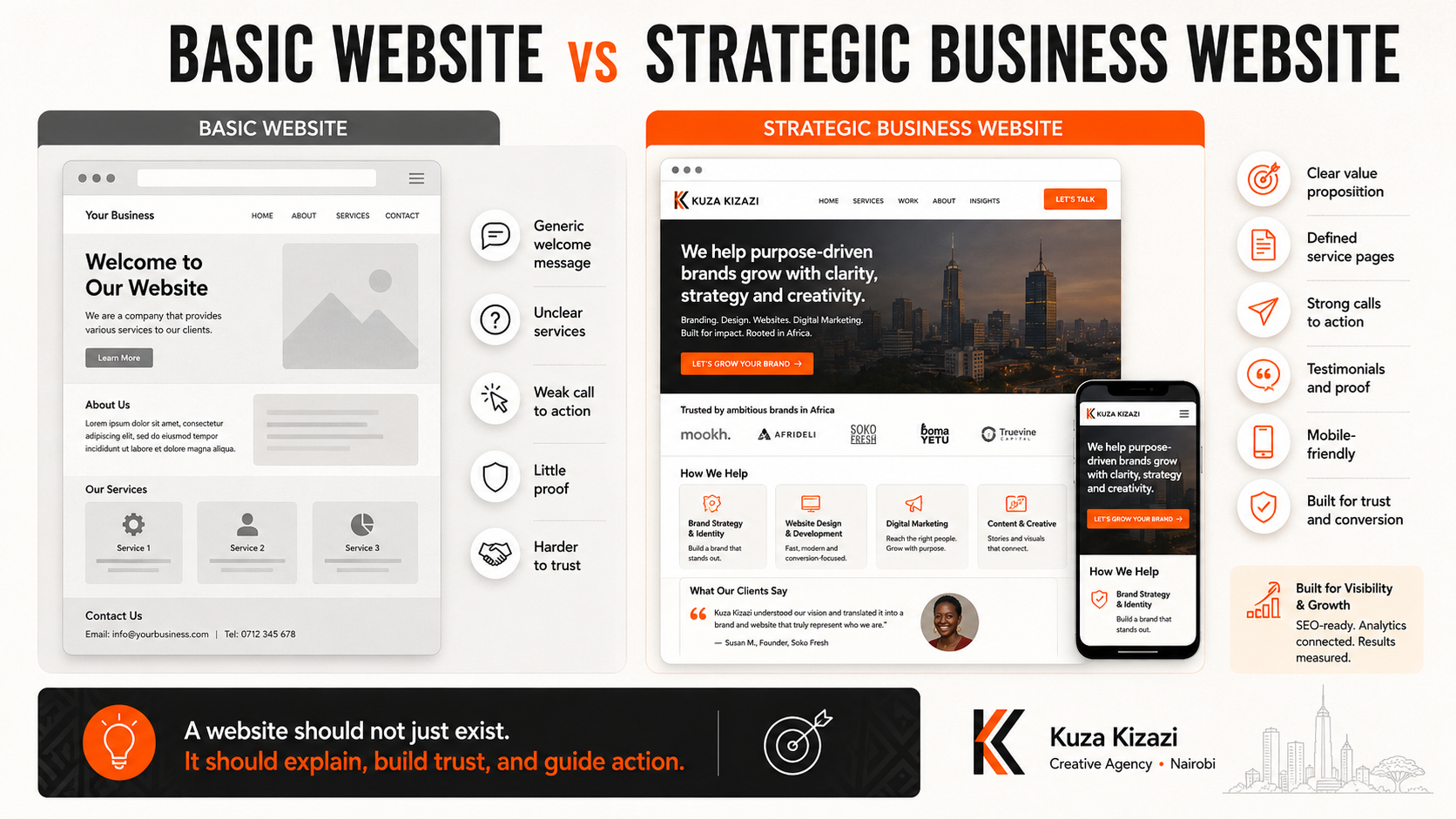
A weak homepage says things like “Welcome to our website” without explaining the value clearly.
A strong homepage tells visitors what the business does within a few seconds.
For example:
“We help small businesses in Kenya build clear brand identities, effective websites, and content systems that support visibility and growth.”
That is more useful than a generic welcome message.
About Page
The About page should build trust.
It should explain:
Who you are
Why the business exists
What you believe in
Who you serve
What experience or values guide your work
Why customers should feel confident choosing you
Many businesses write About pages that only describe when the company was founded. That is useful, but it is not enough.
A good About page should help the reader feel, “This business understands what I need.”
Services Page
The Services page should explain what you offer in a clear and structured way.
It should avoid vague service lists that leave customers confused.
Instead of only saying:
Branding
Design
Marketing
Consulting
Explain what each service helps the customer achieve.
For example:
“Brand identity design helps your business look more consistent, professional, and memorable across your website, social media, proposals, and printed materials.”
Good service pages connect the service to the customer’s problem.
Individual Service Pages
If your services are important for search, clarity, or conversion, create individual pages for them.
For example:
Website Design in Kenya
Brand Identity Design
Ecommerce Website Development
School Website Design
SEO Services
Content Strategy
Photography and Video Production
Individual service pages help visitors understand each offer in detail. They also help search engines understand what your business provides.
Portfolio, Projects, or Case Studies
People want to see proof.
A portfolio or project section helps visitors evaluate your work, style, process, and experience.
Depending on your business, this page may include:
Completed projects
Before and after examples
Client work
Product galleries
Event photos
Reports
Campaign examples
Website screenshots
Testimonials
Avoid showing images without context. Explain the problem, what was done, and what improved.
Testimonials or Reviews
Testimonials help reduce doubt.
They show that other people have worked with you and had a positive experience.
Good testimonials are specific. They mention the problem, the service, and the result.
If you do not have formal testimonials yet, you can use Google reviews, client feedback, or short approval quotes, as long as they are real and used with permission.
Do not invent testimonials. Fake proof weakens trust.
Contact Page
Your Contact page should make it easy for people to reach you.
Include:
Phone number
Email address
WhatsApp link
Contact form
Location or service area
Google Map, where relevant
Opening hours, where relevant
Social media links
For many Kenyan businesses, WhatsApp is a major part of the customer journey. If WhatsApp is your main inquiry channel, make the button easy to find.
Blog or Insights Section
A blog helps your business educate customers, answer common questions, and improve search visibility.
For example, a website design agency may write articles such as:
How Much Does a Website Cost in Kenya?
What Pages Should Every Business Website Have?
Why Your Website Looks Good But Does Not Bring Customers
Website Design vs Website Development
Business Website Checklist Before Launch
Blog content helps customers understand what they need before they contact you. It also builds authority over time.
Website Design vs Website Development: What Is the Difference?
Many business owners use “website design” and “website development” as if they mean the same thing. They are connected, but they are not identical.
Website design focuses on how the website looks, feels, and guides the user.
It includes:
Layout
Visual style
User experience
Page structure
Color use
Typography
Mobile design
Calls to action
Visual hierarchy
Website development focuses on how the website works technically.
It includes:
Coding
CMS setup
Forms
Integrations
Speed optimization
Security
Hosting setup
Database functionality
Payment systems
Admin dashboards
A beautiful design without good development can become slow, buggy, or hard to update.
Good development without thoughtful design can produce a website that works technically but feels confusing or unattractive.
A strong website needs both.
What Makes a Website Trustworthy?
Trust is one of the most important roles of a business website.
People may not contact you if your website makes them feel unsure.
A trustworthy website usually has:
Clear message
Professional design
Consistent branding
Real photos or strong visuals
Easy navigation
Clear services
Visible contact details
Testimonials or proof
Fast loading speed
Mobile-friendly layout
Secure connection
Updated content
Clear calls to action
Trust is built through many small details.
A website does not need to be complicated to feel trustworthy. It needs to be clear, consistent, useful, and easy to use.
Why Mobile-Friendly Website Design Matters in Kenya
Many people in Kenya access websites primarily through mobile phones.
That means your website must work well on small screens.
A mobile-friendly website should have:
Readable text
Buttons that are easy to tap
Fast loading pages
Simple navigation
Clear contact options
Images that resize properly
Forms that are easy to complete
WhatsApp or call buttons where useful
A website may look impressive on a laptop but fail on mobile. That is a serious problem because many customers will never see the desktop version.
When reviewing your website, always test it on a phone.
Website Copy: Why Words Matter as Much as Design
Many websites fail because the copy is unclear.
The design may be attractive, but the words do not explain the business properly.
Good website copy should answer:
What do you offer?
Who is it for?
What problem does it solve?
Why does it matter?
What makes you different?
What should the visitor do next?
Avoid vague statements like:
“We offer quality solutions for all your needs.”
Instead, be specific:
“We design professional websites for small businesses, schools, and organizations that need to explain their work clearly, build trust, and generate inquiries.”
Clear copy helps both customers and search engines understand your business.
SEO Basics for a Business Website
SEO, or search engine optimization, helps people find your website through search engines like Google.
A website should not only look good. It should also be structured in a way that supports discovery.
Basic SEO includes:
Clear page titles
Meta descriptions
Proper heading structure
Descriptive URLs
Image alt text
Fast loading speed
Mobile-friendly design
Internal links
Useful page content
Location keywords where relevant
Google Business Profile connection
Blog content that answers customer questions
For example, if you offer website design in Nairobi, your website should clearly mention your service, audience, and location in a natural way.
Do not stuff keywords. Write for humans first, then structure the content properly for search.
The Role of Branding in Website Design
Your website should feel like your brand.
This means your logo, colors, typography, tone of voice, photography, and layout style should work together.
If your brand identity is weak, the website may feel inconsistent.
For example, if your Instagram page is warm and friendly, but your website feels cold and corporate, the customer experience becomes confusing.
Before building a website, it helps to have:
Logo files
Brand colors
Fonts
Tone of voice
Photography style
Basic brand guidelines
A strong brand identity makes website design easier because the visual direction is already clear.
Website Content You Should Prepare Before Hiring a Designer
Before asking for a website quote, prepare the basics.
This saves time, reduces confusion, and improves the quality of the final website.
You should prepare:
Business name
Logo and brand assets
Short business description
Target audience
List of services
Service descriptions
Photos or image direction
Team information
Testimonials
Contact details
Location details
Frequently asked questions
Preferred calls to action
Examples of websites you like
Existing social media links
Domain and hosting details, if available
You do not need to have everything perfect, but you should be clear enough to guide the project.
Starting a website without content often leads to delays and weak pages.
How Much Does a Business Website Cost in Kenya?
Website cost in Kenya can vary widely because websites are not all the same.
A simple landing page will not cost the same as a full business website, ecommerce platform, booking system, school portal, or custom web application.
The cost depends on:
Number of pages
Design quality
Content writing
Brand identity requirements
Functionality
Payment integration
SEO setup
Hosting
Maintenance
Custom development
Timeline
Level of strategy involved
The better question is not only, “How much does a website cost?”
The better question is, “What kind of website does my business need right now?”
A small business testing an idea may start with a landing page. A growing company that needs credibility, search visibility, and lead generation may need a full website. A business with advanced operations may need a custom platform.
The right website is the one that supports your current goals and can grow with you.
Website Platforms: WordPress, Custom Website, Wix, Shopify, or Webflow?
There is no single best platform for every business.
The right choice depends on your goals, budget, technical needs, and how you want to manage content.
WordPress
WordPress is flexible and widely used. It is good for business websites, blogs, service pages, and content-heavy websites.
It can work well if properly designed, developed, secured, and maintained.
Wix or Squarespace
These platforms can be useful for simple websites, portfolios, or early-stage businesses that need a quick online presence.
They may become limiting if you need advanced customization, complex SEO structure, or custom functionality.
Shopify
Shopify is strong for ecommerce businesses that want to sell products online.
It is useful for product catalogues, carts, checkout, and ecommerce management.
Webflow
Webflow can be good for visually refined websites and marketing sites. It gives designers strong control over layout and interactions.
It may not be the best fit for every business if the team needs simple content editing or complex backend features.
Custom Website or Web App
A custom website or platform is best when the business needs features that cannot be handled well by standard templates or platforms.
This may include portals, dashboards, booking systems, school systems, or internal workflows.
The key is to choose the platform based on the business goal, not trends.
The Website Building Process
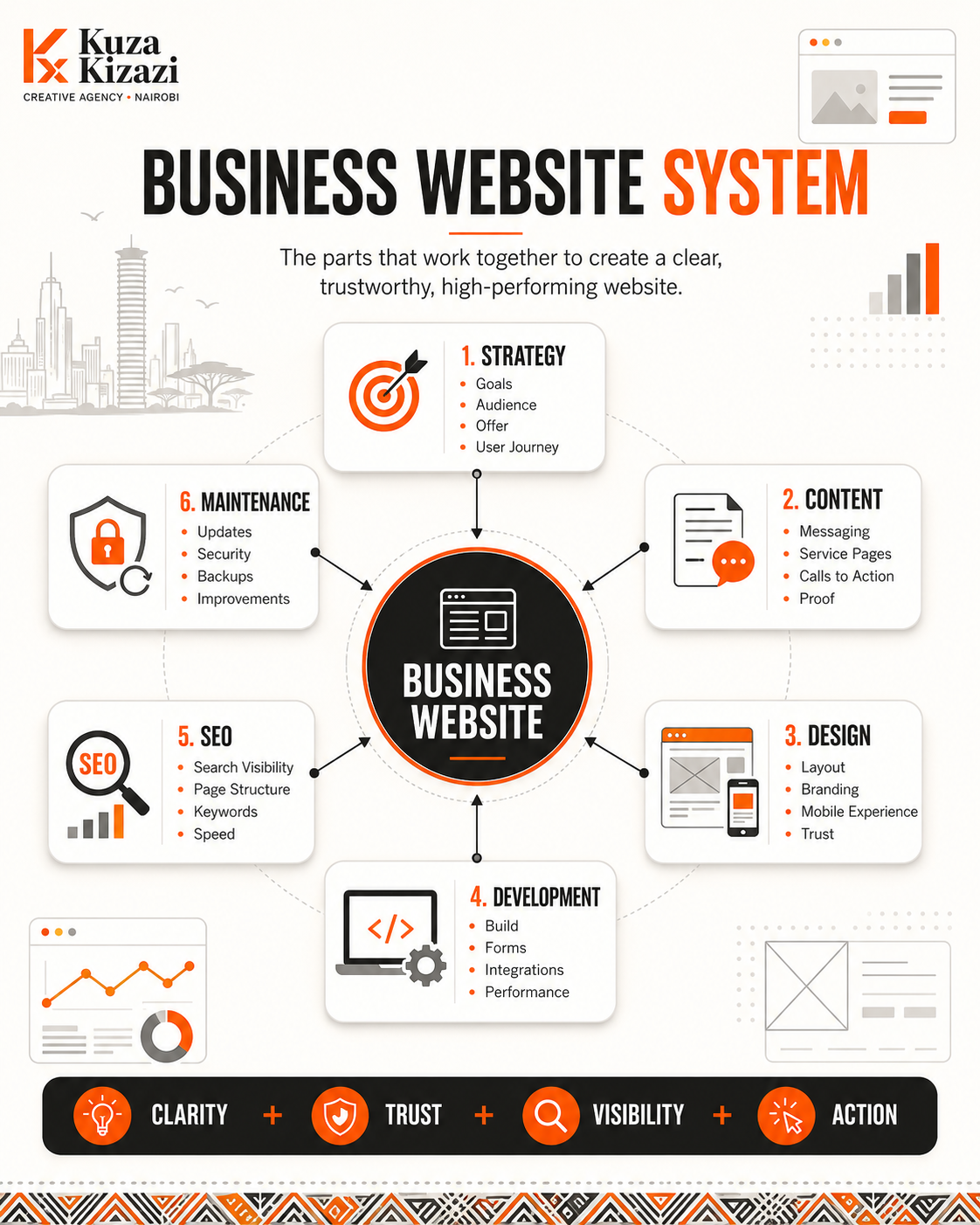
A professional website should follow a clear process.
1. Discovery and Strategy
This stage clarifies the purpose of the website.
You define:
Business goals
Target audience
Website objectives
Pages needed
User journey
Key messages
Functionality
Competitors
Success measures
Skipping this stage often leads to a website that looks good but does not solve the right problem.
2. Sitemap and Structure
A sitemap is the page structure of the website.
It shows which pages are needed and how they connect.
For example:
Home
About
Services
Website Design
Brand Identity
Content Strategy
Work
Blog
Contact
A clear sitemap helps the website feel organized.
3. Content Planning and Copywriting
This stage develops the words and content for each page.
It includes headlines, service descriptions, calls to action, proof points, FAQs, and SEO content.
Good content should be clear before design begins.
Design without content often leads to beautiful empty sections.
4. Wireframing
A wireframe is a simple layout plan.
It shows where content, sections, buttons, images, and forms will go.
Wireframes help you focus on structure before visual design.
5. Visual Design
This stage turns the structure into a polished design.
It includes colors, typography, spacing, images, icons, buttons, and page layouts.
The design should support clarity, not distract from it.
6. Development
Development turns the design into a working website.
It includes building pages, setting up forms, making the site responsive, connecting tools, optimizing speed, and preparing the site for launch.
7. Testing
Before launch, test the website carefully.
Check:
Mobile responsiveness
Links
Forms
Speed
Spelling
Images
Buttons
Contact details
Browser compatibility
SEO basics
Security settings
Small errors can reduce trust.
8. Launch
Launching means making the website live on your domain.
But launch is not the end of the project. It is the beginning of the website’s real life.
9. Maintenance and Improvement
A website needs care after launch.
Maintenance may include:
Backups
Security updates
Plugin updates
Content updates
Speed checks
SEO improvements
Blog publishing
Analytics review
Broken link checks
A website should improve as your business grows.
Common Website Mistakes Business Owners Make
1. Starting With Design Before Strategy
A website should not begin with colors and layout. It should begin with goals, audience, message, and action.
2. Copying Another Business Website
It is okay to gather inspiration, but your website should reflect your own business model, audience, and offer.
3. Writing Unclear Services
Many websites list services without explaining what they mean or why they matter.
Clear service descriptions help customers decide faster.
4. Hiding Contact Information
If visitors have to search too hard for your phone number, WhatsApp link, location, or form, you may lose inquiries.
5. Ignoring Mobile Users
A website that only works well on desktop is not ready for most users.
6. Using Poor Images
Low-quality photos can make a serious business look less trustworthy.
Use professional photography where possible, especially for teams, products, locations, schools, food, spaces, and physical services.
7. Having No Clear Call to Action
Every key page should guide the visitor.
Examples:
Request a quote
Book a consultation
Call us
Send a WhatsApp message
Download the profile
View our services
Apply now
Visit our location
8. Forgetting SEO
A website without SEO basics may remain invisible even if it looks good.
9. Treating the Website as a One-Time Project
Your website should evolve with your business.
Update services, photos, testimonials, blog posts, team details, and contact information regularly.
Business Website Planning Checklist
Before building your website, answer these questions.
Business Clarity
What does the business offer?
Who is the target audience?
What problem does the business solve?
What makes the business different?
What should people remember about the brand?
Website Goals
Should the website generate inquiries?
Should it support sales?
Should it build credibility?
Should it help people book appointments?
Should it explain services?
Should it improve Google visibility?
Should it support admissions, donations, or applications?
Website Structure
What pages are needed?
Which services need their own pages?
Do you need a blog?
Do you need a portfolio?
Do you need FAQs?
Do you need ecommerce or booking features?
Content
Do you have clear service descriptions?
Do you have photos?
Do you have testimonials?
Do you have team information?
Do you have contact details?
Do you have brand assets?
Functionality
Do you need contact forms?
Do you need WhatsApp integration?
Do you need online payments?
Do you need booking?
Do you need user accounts?
Do you need a dashboard?
Do you need content management?
SEO and Visibility
What keywords should people use to find you?
Do your pages mention your services clearly?
Do you need location-based pages?
Is your Google Business Profile set up?
Will you publish blog content?
After Launch
Who will update the website?
Who will maintain it?
How often will content be reviewed?
How will you track performance?
What improvements will be needed later?
A Simple Website Launch Checklist
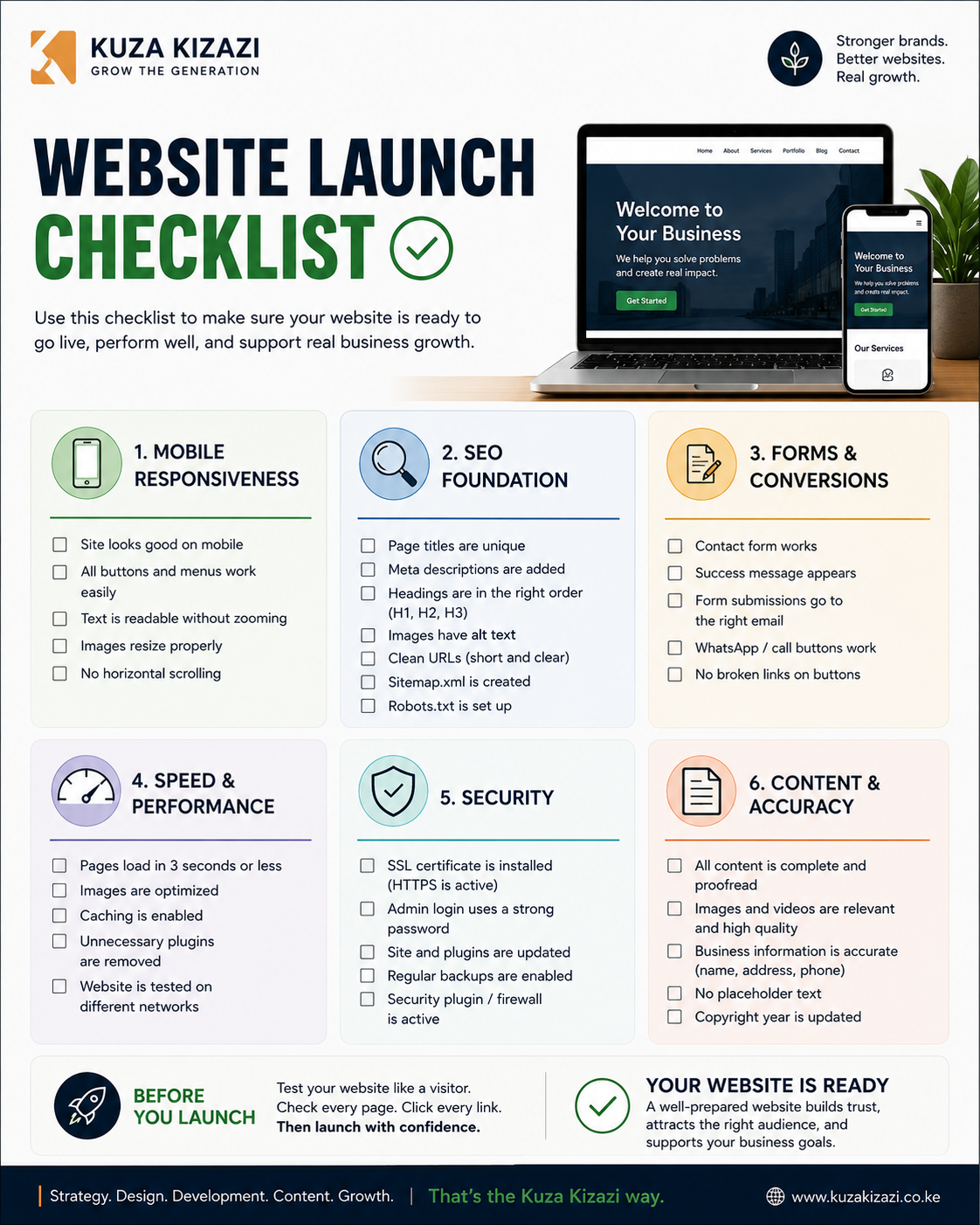
Before going live, check the following:
Homepage message is clear
Navigation works properly
All buttons link to the right pages
Contact forms work
WhatsApp button works
Phone number and email are correct
Website is mobile-friendly
Pages load quickly
Images are compressed
Spelling and grammar are checked
SEO titles and meta descriptions are added
URLs are clean
Google Analytics or tracking is installed
Google Search Console is connected
Security certificate is active
Social media links work
Privacy policy is added where needed
Backup system is in place
Do not launch only because the design looks finished. Launch when the website works properly for real users.
Kuza Kizazi Perspective
At Kuza Kizazi, we believe a business website should be planned around clarity, trust, and action.
A website should not only impress people visually. It should help them understand your business faster, trust you more easily, and know what step to take next.
For growing African brands, schools, startups, SMEs, and organizations, a website is often one of the most important trust-building tools. It supports referrals, social media, Google search, proposals, campaigns, admissions, and customer inquiries.
The right website is not always the biggest or most expensive one. It is the one that fits your current stage, supports your audience, and gives your business room to grow.
If your business is still testing an offer, a simple landing page may be enough. If your business needs stronger credibility, structured services, SEO, content, and lead generation, then a full business website becomes more important.
Good website work starts before design. It starts with understanding the business, the audience, the message, and the action you want visitors to take.
Final Thoughts
Building a business website in Kenya is not just about getting online.
It is about creating a clear, professional, and trustworthy digital presence that supports your goals.
A good website should explain your business, guide visitors, build confidence, support search visibility, and make it easy for people to act.
Before hiring a website designer or developer, take time to clarify your goals, pages, content, functionality, brand assets, and long-term maintenance needs.
The stronger the planning, the stronger the website.
If your business needs a website but you are not sure what pages, content, or features you need, Kuza Kizazi can help you plan the right structure before design begins.
Start with a website planning consultation so your website is built around clarity, trust, and practical growth, not guesswork.
Comments
Loading comments…